
OPUS 2
Audio Processor
These support guides will help you handle and care for your OPUS 2 Audio Processor.
Safety Features
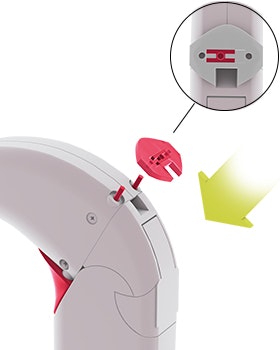
Safety Lock
The battery pack cover can be locked to prevent tampering or disassembly. If OPUS 2 belongs to a child, always use the safety lock before you place the audio processor on the child’s ear.
Insert the long-pinned connecting piece and place the safety lock onto the pins. The coil cable plug should rest in the cutout section.
Slide the lever to the left with a pointed object (e.g. ballpoint pen) to secure the safety lock.
To open the safety lock, move the lever in the opposite direction.
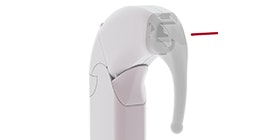
Lockable Earhook
The earhook locks securely in place to prevent accidental removal. To lock the earhook, insert the earhook pin after you attach the earhook to the control unit. If OPUS 2 belongs to a child, always insert the earhook pin before you place the audio processor on the child’s ear.
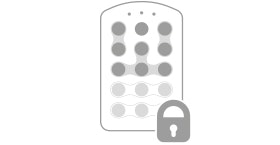
FineTuner Deactivation
You can deactivate certain FineTuner keys or programmes to prevent accidental changes to settings. For more information about this feature or for instructions for FineTuner deactivation, please contact your CI centre.

Refer to your user manual for more information.

About Cochlear Implants
Find a Cochlear Implant Clinic Near You
Pros and Cons of Cochlear Implants
Cochlear Implant Surgery
How Do Cochlear
Implants Work?
What Does a Cochlear
Implant Sound Like?
Cochlear
Implants and MRI
Can I Enjoy Music With a Cochlear Implant?
Children's Cochlear Implants
Cochlear Implants for Single-Sided Deafness
Product Reliability
Data


